How Does a CRM Work? A Beginner's Guide (2026)
The simple cycle behind every CRM - how it captures data, organises it, automates your work and turns it into insight you can act on.
See a CRM in action →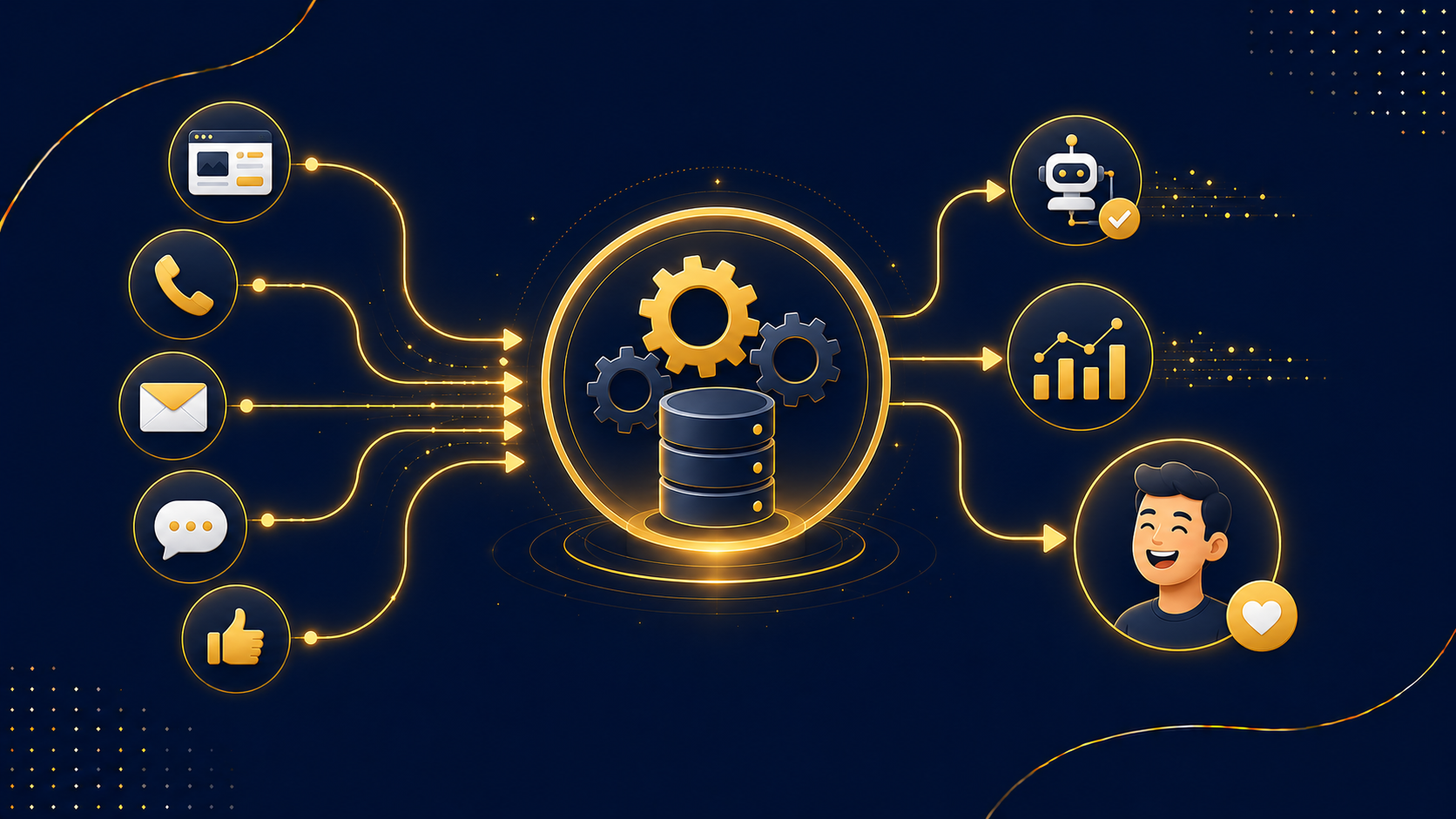
Last updated: June 2026 · Written by the CRMReviews team
A CRM can look like a black box - data goes in, somehow your business runs smoother. But the mechanics are simple. At its core, a CRM captures customer data across every touchpoint, stores it centrally, automates routine tasks, and turns it all into insight. This guide opens the box and explains, in plain English, exactly how a CRM works.
Key takeaways
- A CRM does three core jobs: store customer data, track interactions, and automate tasks.
- It works in a cycle: capture → centralise → automate → insight.
- Every call, email, meeting and note is logged automatically into a timeline per contact.
- Automation handles repetitive work - follow-ups, reminders and workflows across the pipeline.
- In 2026, AI adds prediction and next-best-action recommendations on top.
The big picture
A CRM captures customer data across multiple touchpoints, stores it centrally, automates business processes, and provides actionable insight to strengthen relationships and drive growth. That single sentence is the whole engine. Let's break it into its four steps.
How a CRM works: the four-step cycle
1 Capture
The CRM collects customer data from every channel - your website forms, phone calls, emails, live chat, social media and more. New leads and their details flow in automatically rather than being typed up by hand.
2 Centralise
All that data lands in one searchable, permission-controlled database. Every contact, deal, email and note sits in one place, and the CRM automatically logs calls, emails and meetings to build a complete timeline for each customer.
3 Automate
With data centralised, the CRM runs the repetitive work for you - sending follow-ups, assigning leads, creating tasks and triggering workflows across the sales pipeline and customer lifecycle.
4 Insight
Finally, the CRM turns activity into reports and forecasts - what's in the pipeline, what's likely to close, where deals stall - so you can make better decisions.
The contact database: the heart of it
Everything revolves around the contact record. Open any customer and you see their full history: contact details, every email and call, deals won and lost, notes and tasks - a single timeline of your entire relationship. Because it's permission-controlled and shared, the whole team sees the same up-to-date picture, and nothing depends on one person's memory or inbox.
Pipeline tracking
A CRM organises deals into a visual pipeline of stages - from new lead to closed sale. Each opportunity moves along as it progresses, so you can see at a glance where everything stands and what needs attention next. This is what stops deals quietly going cold.
Automation: the time-saver
Automation is where a CRM earns its keep. Instead of remembering to chase every lead, you set rules once and the CRM executes them: a welcome email when someone enquires, a reminder if a deal goes quiet, a task assigned when a stage changes. Modern CRM automation spans sales, marketing and lead management across the whole lifecycle.
Integrations
A CRM rarely works alone. CRM data integration connects it with your other tools - email, billing, e-commerce, support - so information flows automatically and stays consistent everywhere. That means no more copying data between systems or working from conflicting versions.
AI in 2026
The newest layer is AI. AI-powered CRMs can analyse customer data to predict behaviour, recommend the best next step, automate routine tasks and personalise outreach - all from the same central record. It's less a new system than a smarter assistant sitting on top of the cycle above.
A day in the life
Imagine a customer emails an enquiry. The CRM logs it against their record, creates a follow-up task, and sends an automatic acknowledgement. A salesperson opens the contact and instantly sees every past interaction. They move the deal a stage forward; the CRM updates the forecast and schedules the next reminder. Nothing is forgotten, and everyone can see what's happening. That's a CRM working. To go deeper, see what is a CRM and CRM features explained.
Frequently asked questions
How does a CRM work in simple terms?
It captures customer data from every channel, stores it centrally, automates repetitive tasks, and turns the data into insight - a continuous capture, centralise, automate, insight cycle.
Where does a CRM get its data?
From every customer touchpoint - website forms, emails, calls, live chat and social - logged automatically into each contact's timeline.
What does CRM automation actually do?
It runs repetitive work for you: follow-up emails, reminders, lead assignment and pipeline workflows, triggered by rules you set once.
Does a CRM connect to my other tools?
Yes - integrations link your CRM with email, billing, e-commerce and support so data flows automatically and stays consistent.
How does AI fit into a modern CRM?
AI analyses your CRM data to predict behaviour, recommend next steps and automate tasks, acting as a smart assistant on top of the core system.
Try the full cycle yourself
GoHighLevel captures, centralises, automates and reports in one platform - the whole CRM cycle, plus marketing. Try it free for 14 days.
Start your free trial →